🧱 HPFD Territorial Management – Block List
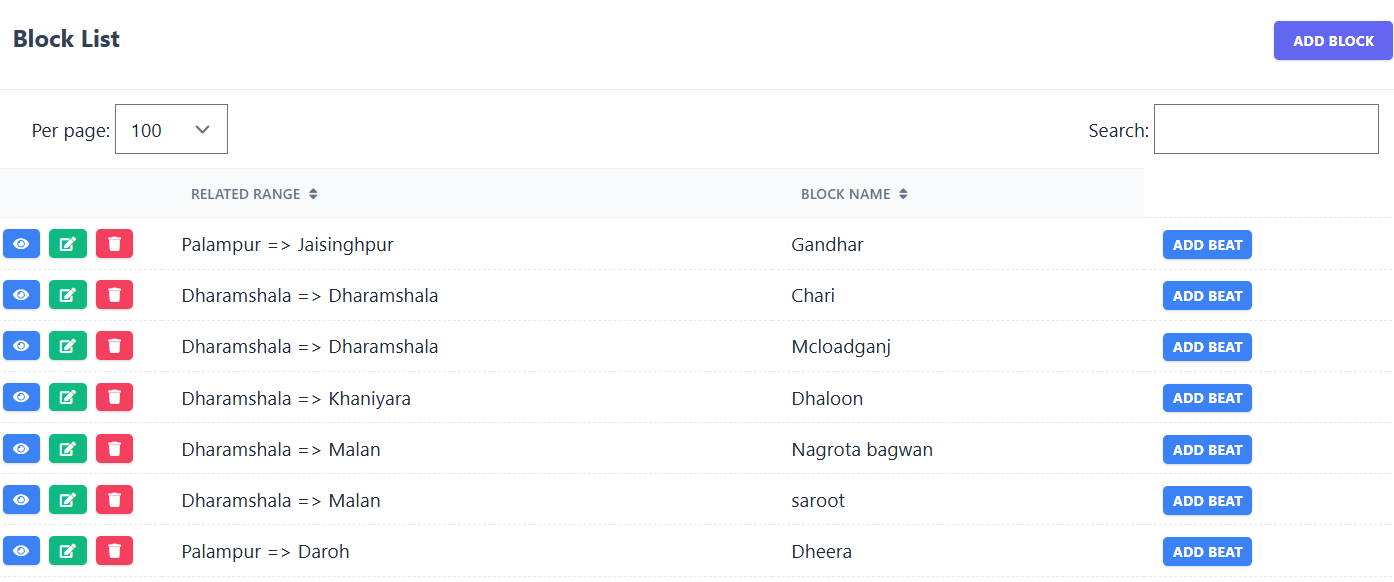
The Block List sub-module allows you to view and manage all blocks under a specific range. Each record shows the Related Range, Block Name, and provides an option to create related Beats.
📋 Existing Block Records
| Related Range | Block Name | Action |
|---|---|---|
| Palampur => Jaisinghpur | Gandhar | Add Beat |
| Dharamshala => Dharamshala | Chari | Add Beat |
| Dharamshala => Dharamshala | Mcloadganj | Add Beat |
| Dharamshala => Khaniyara | Dhaloon | Add Beat |
🔍 Search: The search box allows users to filter blocks by entering the block name or related range.
Only matching records are displayed.
🖼️ Module Screenshot
📌 Click image to view in full screen
➕ Add Block
Clicking on Add Block opens a form where administrators can register a new block by entering:
- Related Range – Auto-filled with the selected range name.
- Block Name – Name/identifier of the block.
Use the Save button to confirm or Cancel to discard.
🎯 Add Beat
When you click Add Beat for any block, a form appears to define sub-divisions (beats) within that block:
- Related Block – Auto-filled with the selected block name.
- Beat Name – Name/identifier of the beat.
Click Save to create the beat or Cancel to go back.