💰 Project Management – Department Budget Head
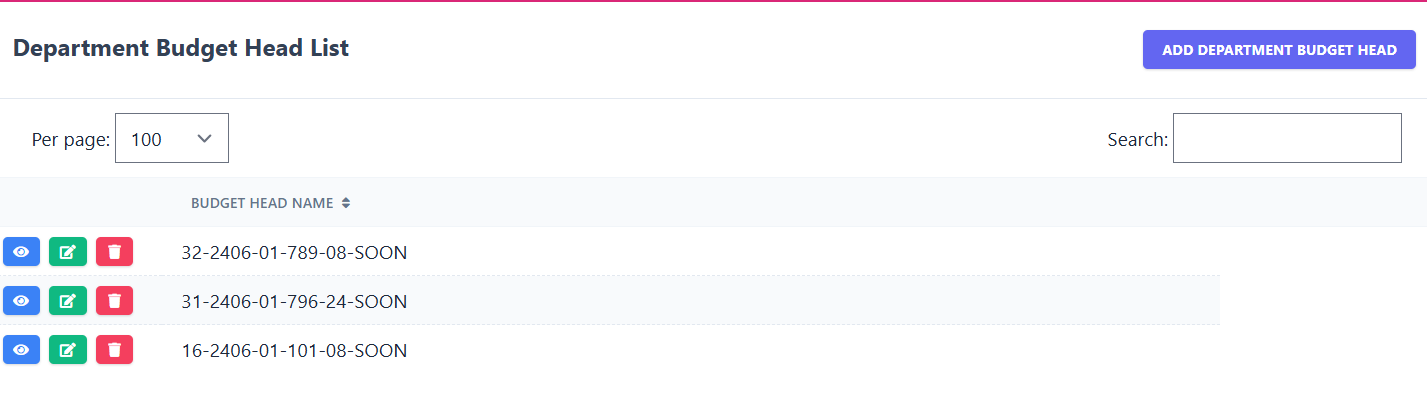
The Department Budget Head List sub-module allows you to view and manage all budget heads. Each record shows the Budget Head Name with options to edit or delete records.
📋 Existing Department Budget Head Records
| Budget Head Name | |
|---|---|
| 32-2406-01-789-08-SOON | |
| 31-2406-01-796-24-SOON | |
| 16-2406-01-101-08-SOON |
🔍 Search: Use the search box to filter budget heads by name.
Only matching records will be displayed.
🖼️ Module Screenshot
📌 Click image to view in full screen
➕ Add Department Budget Head
Clicking on Add Department Budget Head opens a form where administrators can enter:
- Budget Head Name – Name/identifier of the budget head.
Click Save to add or Cancel to discard.
✏️ Edit Department Budget Head
Clicking Edit beside any record allows administrators to update the budget head:
- Budget Head Name
Click Save to update or Cancel to go back.
🗑️ Delete Department Budget Head
Clicking Delete removes the selected budget head from the system. A confirmation is prompted before deletion.