🌲Forest Management-SubCompartment
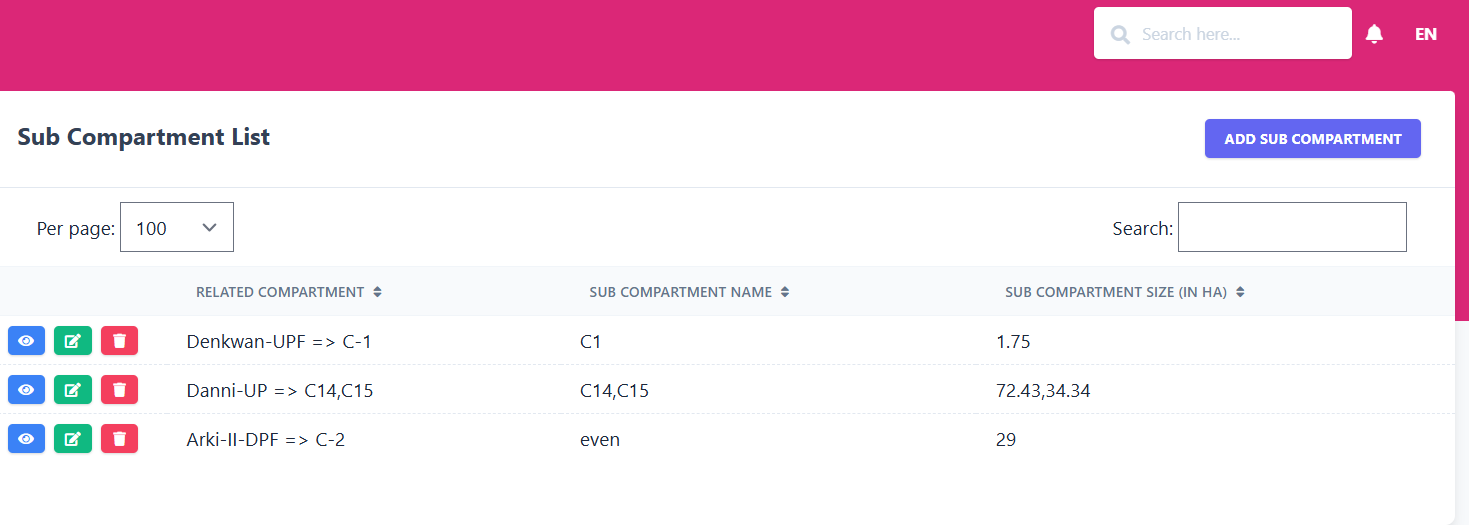
The Sub-Compartment module manages smaller divisions inside a forest compartment. It displays all created sub-compartments and lets administrators add new ones.
📋 Sub-Compartment List
| Related Compartment | Sub-Compartment Name | Sub-Compartment Size (in HA) |
|---|---|---|
| Denkwan-UPF ⇒ C-1 | C1 | 1.75 |
| Danni-UP ⇒ C14,C15 | C14, C15 | 72.43, 34.34 |
| Arki-II-DPF ⇒ C-2 | even | 29 |
🖼️ Module Screenshot
📌 Click image to view in full screen
➕ Create Sub-Compartment
Clicking Add Sub-Compartment opens a form where you can define:
- Related Compartment – Select the parent compartment (e.g., C-1).
- Sub-Compartment Name – Enter a name for the new sub-compartment.
- Sub-Compartment Size (in HA) – Specify the area.
After filling the fields, click Save to create the record or Cancel to discard.