🌳 Forest Management – Forest List
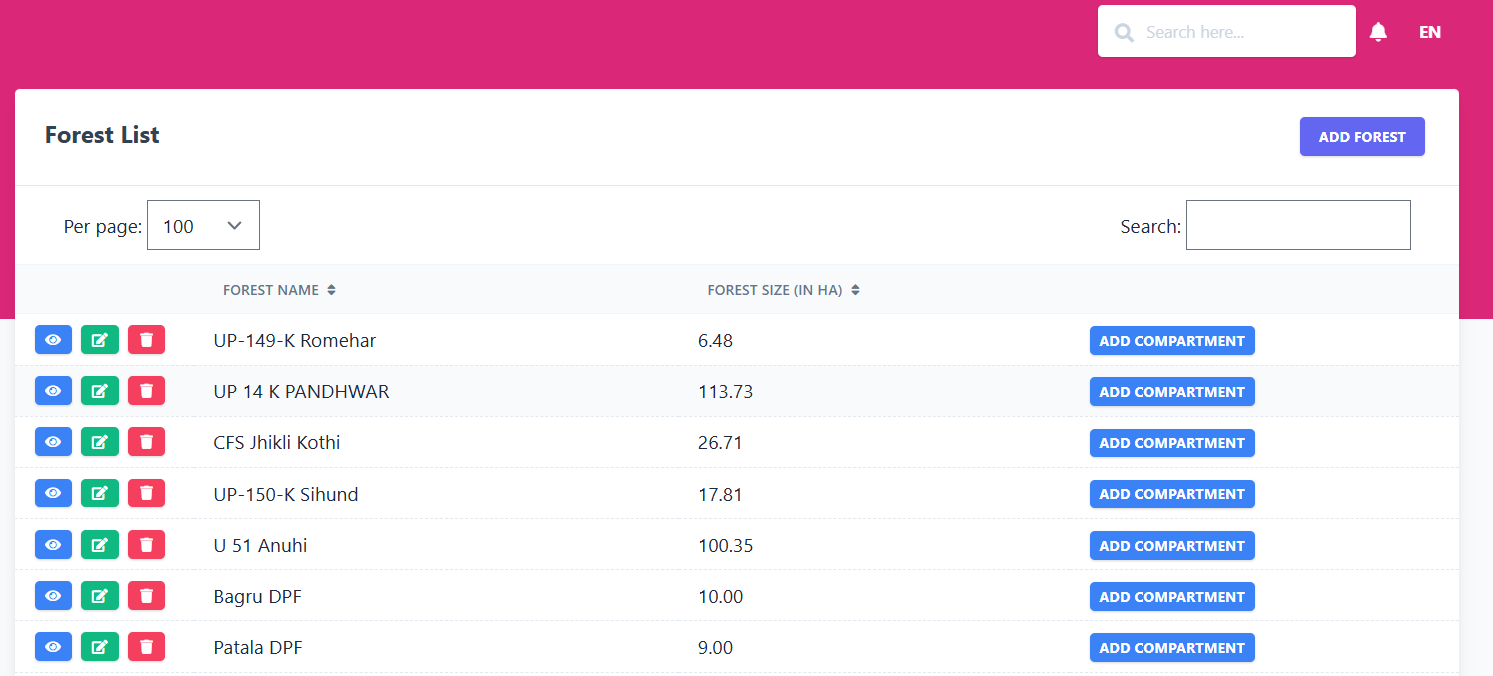
The Forest List sub-module allows you to view and manage all forests defined in the system. Each record displays the forest name, its size in hectares (HA), and provides an option to create related compartments.
📋 Existing Forest Records
| Forest Name | Forest Size (HA) | Action |
|---|---|---|
| UP-149-K Romehar | 6.48 | Add Compartment |
| UP 14 K PANDHWAR | 113.73 | Add Compartment |
| CFS Jhikli Kothi | 26.71 | Add Compartment |
| UP-150-K Sihund | 17.81 | Add Compartment |
| U 51 Anuhi | 100.35 | Add Compartment |
| Bagru DPF | 10.00 | Add Compartment |
| Patala DPF | 9.00 | Add Compartment |
| Chanjla DPF | 5.00 | Add Compartment |
| dager dpf | 5.00 | Add Compartment |
| Patnla DPF | 10.00 | Add Compartment |
| Thalla DPF-250 | 74.46 | Add Compartment |
| Guwadi UPF | 144.00 | Add Compartment |
| Dhar DPF | 13.76 | Add Compartment |
| Kehlu No 2 DPF | 50.54 | Add Compartment |
| Rouni No I | 31.16 | Add Compartment |
| Dhanei DPF | 13.20 | Add Compartment |
| Lahad DPF | 41.68 | Add Compartment |
| Bhadiara-UPF | 71.71 | Add Compartment |
| Lapiana-UPF | 28.32 | Add Compartment |
| Chaurar-UPF | 21.04 | Add Compartment |
| Jharet-UPF | 67.57 | Add Compartment |
| Chihol-UPF | 89.72 | Add Compartment |
| Samirpur-UPF | 208.37 | Add Compartment |
| Katal DPF | 38.88 | Add Compartment |
| Talai DPF | 40.47 | Add Compartment |
🖼️ Module Screenshot
📌 Click image to view in full screen
➕ Add Forest
Clicking on Add Forest opens a form where administrators can register a new forest by entering:
- Forest Name – Name/identifier of the forest.
- Forest Size (in HA) – Total area in hectares.
Use the Save button to confirm or Cancel to discard.
🌲 Add Compartment
When you click Add Compartment for any forest, a form appears to define sub-divisions (compartments) within that forest:
- Related Forest – Auto-filled with the selected forest name.
- Compartment Name – Name/number of the compartment.
- Compartment Size (in HA) – Area of the compartment in hectares.
Click Save to create the compartment or Cancel to go back.